
Purchase orders: order where you also invoice
Material ordered but documented nowhere? With purchase orders in Easy Invoice you write orders from your product catalogue, send them to the supplier and keep an eye on the status – in the same program as your quotes and invoices.
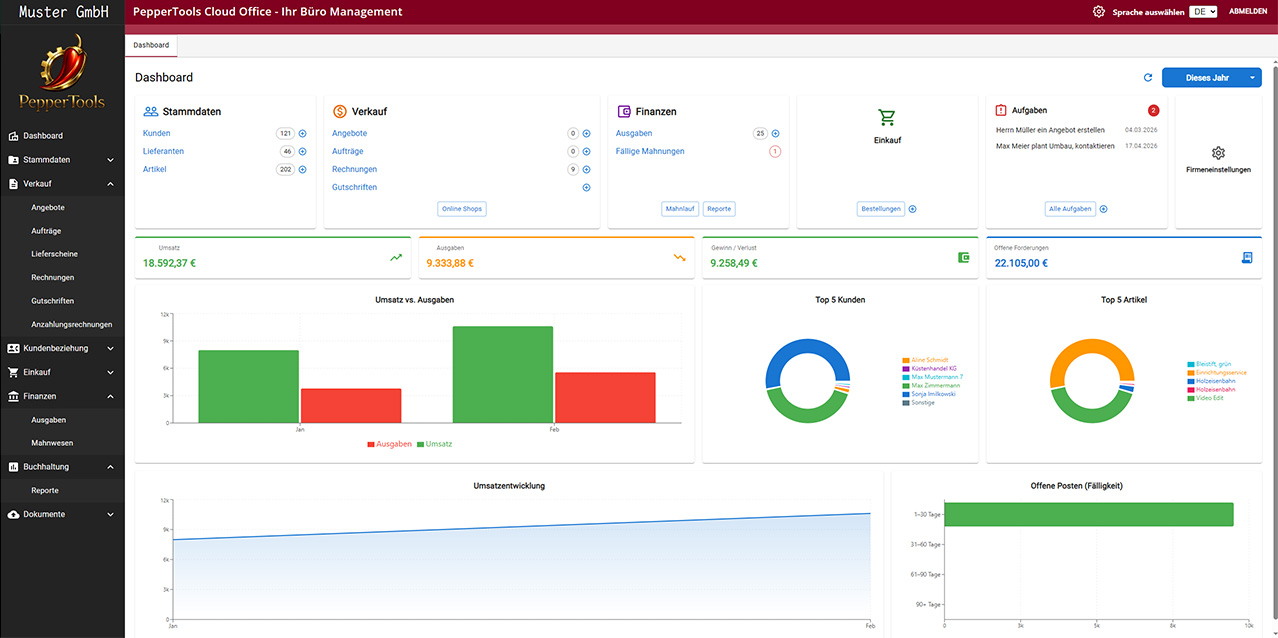
Orders with a system instead of by phone
An order placed by phone is quickly forgotten – and hard to prove. As a document with number, date and line items it is clear later what was ordered when and at what price.
Products and suppliers from master data
Order lines come from your product catalogue, the supplier from supplier management – no typing, no mixed-up article numbers.
Purchasing and sales in one program
Order from the supplier, incoming invoice, expense – and next to them your customer invoices. One program, one login, one overview.
What purchase orders can do
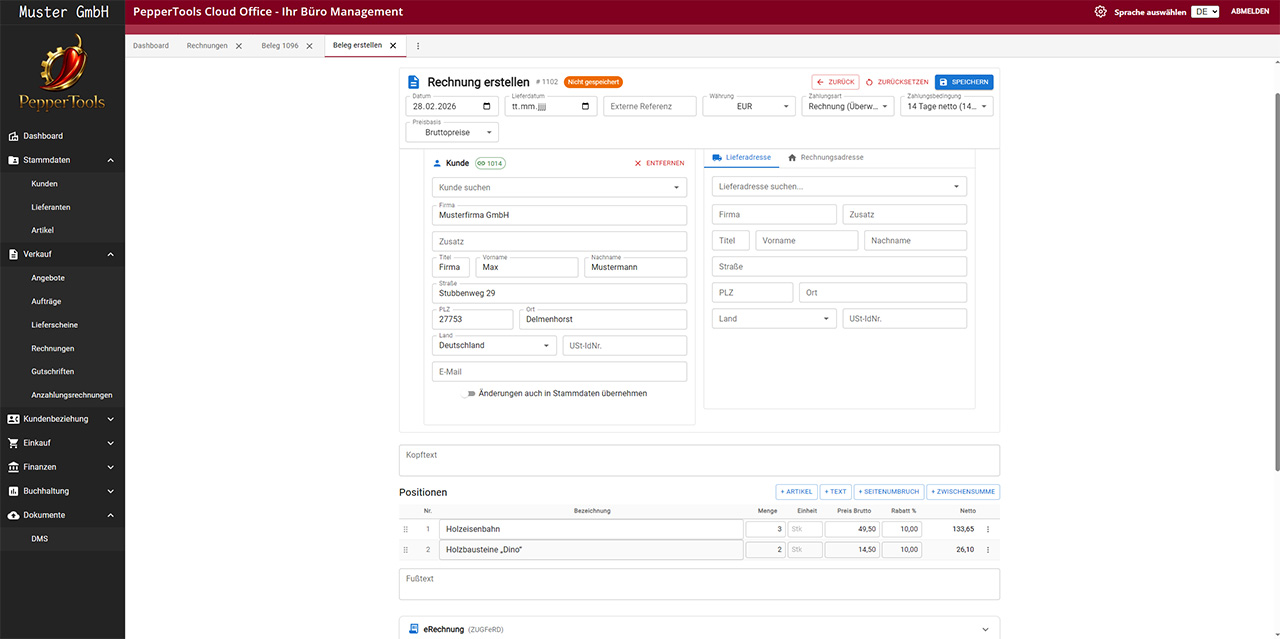
Create and send the order
Choose the supplier, take line items from the product catalogue or enter them freely, export as PDF or send by email. Its own number range keeps your orders consecutive and easy to find.
Track the status
Open orders at a glance: you see what has been ordered and not yet delivered – and follow up before the job site or the shipment stalls.
From the order to the incoming invoice
When the supplier invoice arrives, you record it as an incoming invoice – with reference to the transaction. That keeps purchasing documented without gaps.
More about incoming invoices →Frequently asked questions about purchase orders
No, purchase orders are part of Easy Invoice – in the same program as quotes, invoices and dunning.
Purchasing documented, sales invoiced – one program.