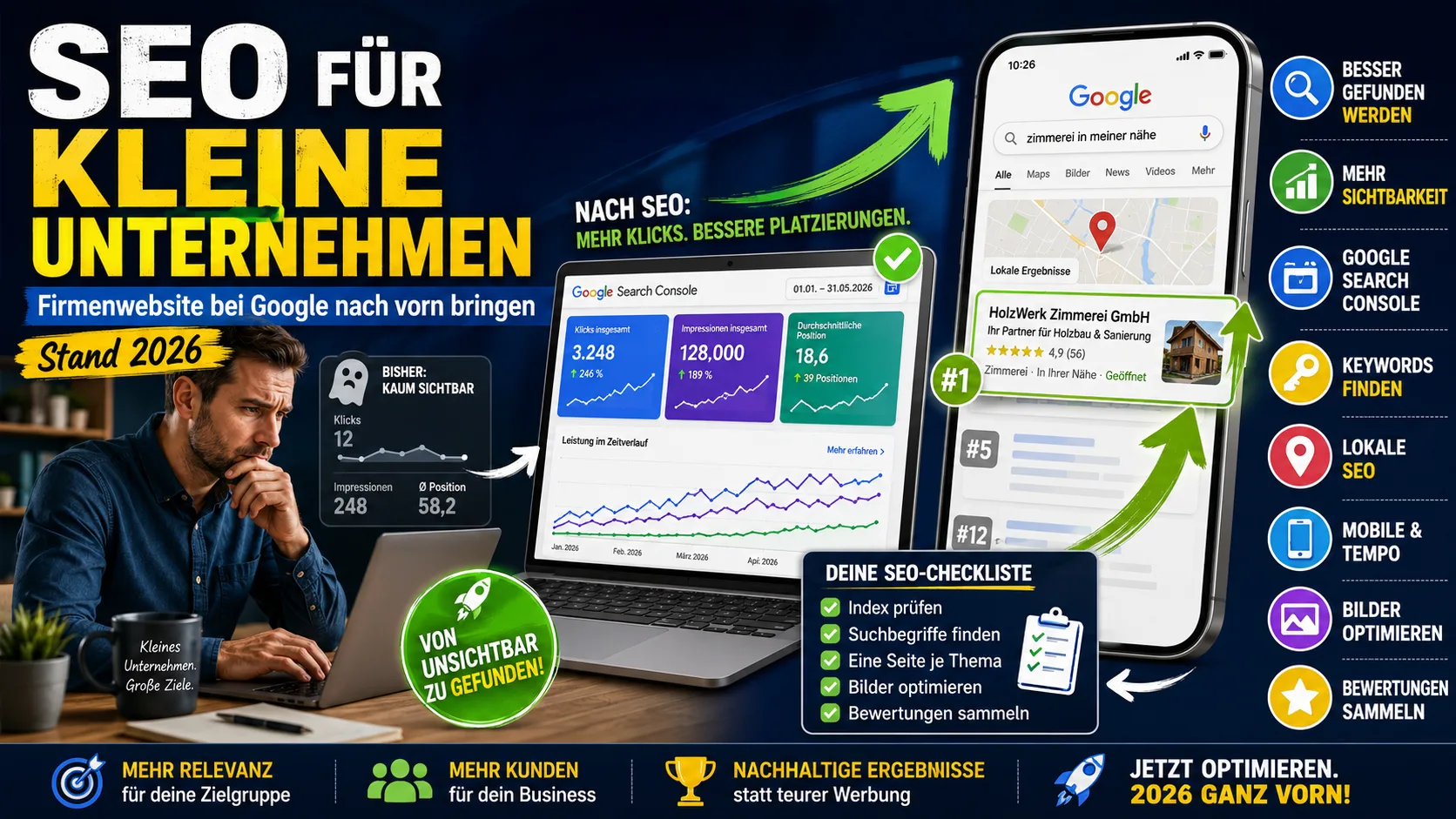
You sell something, your website is online – and still hardly anyone arrives via Google. That is almost never down to how the site looks. It is usually down to one of two things: Google does not know your pages at all, or you have no page covering what your customers actually type in.
You can check both yourself and change them in a manageable amount of time. This article starts at the very beginning. The technical chapters come at the end – anyone using a ready-made shop or website system usually does not need them at all.
Overview: what this article covers
Part 1 – for everyone, no prior knowledge needed. You can work through these steps yourself, even with a website builder or shop system.
- How Google actually works – the basics in five sentences
- Are you even on Google? – the two-minute test and the free tool for it
- Why you are not being found – the five most common causes
- What your customers really search for – finding search terms without spending money
- One page per topic – why five good pages beat twenty thin ones
- Headline and description – what is shown in the results list
- Images – alt text, file names, file size
- Reaching customers nearby – business profile and reviews
- Mobile and speed – what Google measures and how you check it
- When Google answers the question itself – AI answers and what you need to do about them
- Free tools – checked: what is still free in 2026
Part 2 – from here on it gets technical. Only needed if you work on the website yourself or talk to a service provider.
- Can Google read your site technically? – JavaScript, React and why AI services read differently
- Meta tags – what works, what has been useless for years
- What Google evaluates overall – confirmed factors and widespread myths
- Why so much advice is out of date – 25 years in one paragraph
Finally: What you can skip and a checklist for the first three weeks.
How Google actually works – in five sentences
Google sends a program across the internet that fetches pages and follows the links on them. That is called crawling. Whatever it finds ends up in a huge directory, the index – only what is in there can appear in the search results at all. When someone types something in, Google searches the index for matching pages and puts them into an order; that is the ranking.
Two things follow from this, and they explain almost every problem small websites have:
- If your page is not in the index, no amount of optimisation in the world will help.
- Google evaluates individual pages, not companies. You do not rank „with your business", but with one page per topic.
Step 1: Are you even on Google?
Type this into Google search: site:yourdomain.com
You will then see roughly which of your pages Google knows about. If nothing comes up, or only the home page, the rest is not in the index – in which case you do not need to think about text and images yet.
You get a more precise picture with the Google Search Console. This is Google's free tool for website owners; you sign in with a Google account and prove once that the website belongs to you (via a small file or an entry at your domain provider – your webmaster or hosting company will do this in ten minutes).
After that you can see three things there:
- Pages: which of your addresses are in the index – and, for the others, the reason why not.
- Performance: which search terms you appear for, how often, in which position.
- URL inspection: what Google actually sees for a single address.
Without this tool you are guessing. It is the only point in this article for which there is no alternative.
One more expectation to set: Google explicitly promises to promise nothing – neither that a page will be crawled, nor that it will be indexed or displayed. There is no entitlement to a place in the results.
Step 2: Why you are still not found
| What you see | What you check | Usually the cause |
|---|---|---|
| Not a single page on Google | Search Console → Pages | A „do not index" switch from the build phase stayed on |
| Only the home page | Open yourdomain.com/robots.txt in the browser | The rest of the site is blocked for search engines there |
| Pages are indexed, still nobody comes | Search Console → Performance | There is no page covering what customers type in |
| Only found by company name | Search for „service + town" yourself | The town only appears in the legal notice, not in the text |
| Everything correct, still nothing | How old is the domain? | New sites need weeks to months |
The third case is by far the most common – and the only one you cannot fix with a switch.
Step 3: Find out what your customers really search for
Before you change a single line: you need to know which words your customers type in. And those are almost never the words you use yourself.
An example: a company calls its page „charging infrastructure for electromobility". But what people search for is „ev charger installation cost". A shop writes „outdoor apparel men", while what gets typed in is „mens waterproof rain jacket". If you do not know your customers' terms, you optimise past them – no matter how good the text is.
Five free ways to get at the real terms
- Google itself. Type in your service and look at what Google suggests while you type. Those are real, frequent search queries. Further down the results page there are more under „Related searches", plus the expandable questions in the „People also ask" block. That costs nothing and takes ten minutes.
- The Search Console – the richest source, once you have set it up. Under „Performance" you can see which terms you already appear for today. Terms with many impressions but few clicks and positions 8 to 20 are particularly interesting: you are almost visible for those. A dedicated page for one of them is usually the fastest win of all.
- The Google Keyword Planner (inside Google Ads, account free of charge). It shows approximate search volumes and related terms. Without ongoing ad spend it usually only gives rough ranges such as „100–1,000" – but for the question of which of two terms is the bigger one, that is enough.
- The Bing Webmaster Tools have free keyword research built in, without an advertising account.
- Your own customers. What do people ask about on the phone? What is written in enquiry emails? Which words do customers use in the shop? This is the most honest source – and the only one your competitors do not have.
For products it is also worth using the search suggestion function on Amazon or eBay: whoever types there is searching with intent to buy.
Which terms are realistic for you
A small business will not win against „shoes" or „accountant". Take longer, more specific search queries instead:
| Instead of | Better |
|---|---|
| electrician | ev charger installation anytown cost |
| rain jacket | mens waterproof breathable rain jacket |
| accountant | accountant for small business anytown |
These terms are searched for less often – but whoever types them knows exactly what they want, and the competition is considerably smaller. Location details have the strongest effect here.
Recognising intent
Before you write, look at what Google already shows today for your term. If there are guide articles there, the user is looking for information. If there are shop and provider pages, they want to buy or hire. Writing a guide where Google shows product pages has little prospect of success – and the other way round too.
Then assign
Set up a simple list: one search term per row, next to it the page that should answer it. One main term per page. If two pages serve the same term, delete one or merge them.
This list is your work plan for everything that follows.
Step 4: One page per topic, not everything on one
A website with five pages can only be found for the topics of those five pages. Not for the thirty services or product groups that belong to it in your head.
Anyone putting „electrician anytown", „install ev charger" and „replace consumer unit" together on a single „Services" page is competing with providers who have a dedicated page for each of those terms. The same applies to product groups in a shop.
So:
- One dedicated address per main topic, meaningfully named:
/ev-charger-installation-anytown - This page covers exactly one topic and covers it completely
- Link from the overview to every sub-page
- No two nearly identical pages – they take each other's strength away
Five good pages achieve more than twenty thin ones.
Every one of these pages should include:
- the answer in the first paragraph – what you offer, for whom, in which area
- a price range or price examples; this is the most searched-for and least often answered information
- the service area in concrete terms: town, districts, radius
- a way to get in touch directly on the page, not just in the menu
- your own photos instead of purchased stock images
Step 5: Headline and description
Two pieces of text decide what your entry in the results list looks like:
- The page title is the blue, clickable line. It is the single most important piece of text on the page. The service and the location belong in it, as far towards the front as possible. Google usually truncates the display from around 55 to 60 characters – and occasionally rewrites the title itself if it does not fit the page.
- The page description is the grey text underneath. It does not influence the ranking – Google only uses it if it describes the page better than a self-chosen excerpt from the text. It is nevertheless important for whether someone clicks. Around 150 to 160 characters.
On top of that, one heading per page that names the topic, and sub-headings that pick up real customer questions.
Step 6: Images
Images are usually treated as decoration. For Google they are text.
- Alt text. Every image can be given a description (in the content management system this field is usually called „alt text" or „alternative text"). Google calls it the most important additional information about an image. Word it descriptively, do not stuff it with search terms: Google's own bad example is
alt="puppy dog baby dog pup pups puppies", the good onealt="Dalmatian puppy playing fetch". No alt text at all is likewise a mistake. There is no official length limit. - File names should be descriptive:
ev-charger-installation-carport.jpginstead ofIMG_0234.JPG. - Surroundings count: images belong next to the text they fit with. The caption and the page title are read along with them.
- Size. Images almost always make up the largest part of the loading time – Google points this out itself. A photo straight out of the camera easily reaches 5 MB; on the website 200 KB is usually enough. The WebP format is standard today and is supported by Google.
- Only real images count. Images embedded as backgrounds via styling are not included by Google in image search.
Step 7: Showing up for customers nearby
If your customers come from the region, the map section above the search results often decides things, not position 4 in the list below it.
- Fill in the Google Business Profile completely: category, services, opening hours, service area, photos.
- Write the name, address and telephone number identically everywhere – on the website, in the profile, in directories. Same abbreviations, same spelling.
- Collect reviews, but only according to the permitted rules: no incentives, no pre-selection of satisfied customers.
More on this: Google Business Profile for tradespeople and collecting customer reviews.
Step 8: Mobile and speed
Two things you cannot ignore:
Google evaluates only the mobile version of your site. Since 5 July 2024, Google has only fetched pages as a smartphone. Anything that does not work on mobile does not make it into the index. Test on a real phone, not in a shrunken browser window.
Loading time feeds into the evaluation. For this Google measures three values with real visitors:
| Value | What it measures | „Good" from |
|---|---|---|
| LCP | When the largest content element is visible | under 2.5 seconds |
| INP | How quickly the page reacts to a tap | under 200 milliseconds |
| CLS | How much the layout jumps while loading | under 0.1 |
You can measure this free of charge with PageSpeed Insights – enter the address, done. The most common reason for poor values on small websites is oversized images.
Important for context: Google itself words this cautiously, saying that there is no single signal and that relevant content will be delivered even with mediocre technology – but that a good user experience can contribute to success when there are many equally helpful pages to choose from. So speed does not replace content.
Step 9: When Google answers the question itself
Google now answers many questions directly in search, without anyone clicking. An analysis of user data (Datos/SparkToro) arrives at 68 % of searches without a click for the first four months of 2026, compared with 60 % in 2024. That is a panel study and not a Google figure, but the direction is unambiguous. Affected above all are pure knowledge questions – anyone looking for a tradesperson or a product still ends up on websites.
What you need to do about it is pleasingly little. Google published an official guide on this on 15 May 2026, and at its core it says:
- The AI answers have no index of their own. They use the same pages and the same signals as normal search.
- „AEO" and „GEO", the industry's new acronyms, are from Google's point of view simply SEO.
- You need no special files – the widely recommended
llms.txtfile is not evaluated by Google. - You do not need to break your texts into snippets; Google finds the relevant passage in longer pages too.
One practical addition for ChatGPT, Claude and Perplexity: anything you only provide as an image or PDF – prices, opening hours, services – will not be quoted by these services. Everything important belongs on the page as real text. More on this in Google AI Mode 2026.
Free tools – what is still free in 2026
| Tool | What for | Free up to |
|---|---|---|
| Google Search Console | Indexing, search terms, positions | fully |
| PageSpeed Insights | Loading time and the three values above | fully, without signing in |
| Bing Webmaster Tools | like Search Console, plus AI citations | fully |
| Seobility | error list for your own site | 1 project, 1,000 pages |
| Screaming Frog | technical walkthrough: missing titles, dead links | 500 addresses per run |
| Ahrefs Free | references to your own domain | your own, verified domain |
| SISTRIX free tools | visibility, preview of the search entry | without signing in |
Two notes that are missing from many older guides:
Google's „Mobile-Friendly Test" no longer exists. It was discontinued in December 2023. Wherever it is still recommended, the text is out of date.
For visibility in AI answers there are exactly two free sources from the providers themselves: the AI report in the Bing Webmaster Tools (since February 2026) – it shows which of your pages are cited in Copilot – and the Gen AI report in the Search Console (since June 2026). The latter, however, shows only how often you appeared: no clicks, no search terms, and it is being rolled out gradually.
From here on it gets technical
You only need the following sections if you work on the website yourself or talk to a service provider. Anyone using a ready-made website builder or a common shop system can jump ahead to the checklist at the end – the system handles most of this.
Can Google read your site technically?
Google works in three steps: fetch the page, render the page, index the page. The middle step is the critical one if your website works with JavaScript – that is, with modern frameworks for developers such as React, Vue or Angular. With such sites there is initially almost nothing in the delivered document; the content only comes into being in the browser.
Google copes with this in principle: every page with status 200 goes into a queue where an automated browser executes the code. An analysis of more than 100,000 fetches (MERJ/Vercel, 2024) found that 100 % of pages were rendered – on average ten seconds after the fetch. The blanket warning that „JavaScript pages do not rank" is therefore outdated; Google itself states that loading content via JavaScript does not make search harder.
What does break things, however:
| Problem | Why | Solution |
|---|---|---|
Menu items without a real link (<span onclick>) | Google does not recognise an address | real <a href="..."> links |
Addresses with # (/#/products) | Google does not treat that as a separate page | real addresses via the History API |
| Content only appears after a click or scroll | Google does not click or scroll | load content without user interaction |
| A non-existent page returns „everything fine" | Google indexes error pages | deliver a genuine 404 status |
Images, CSS or scripts blocked in robots.txt | The page cannot be rendered correctly | unblock the resources |
You can check this in the Search Console under „URL inspection" → „View tested page": there you see the source code as Google sees it after rendering, including a screenshot.
The way out that Google recommends is called server-side rendering or static generation: the page is delivered finished instead of being assembled in the browser first. The older approach, „dynamic rendering" – sending search engines a special version – has been explicitly classified by Google as a workaround since February 2024.
And the real reason why this matters in 2026: a measurement of real crawler traffic (Vercel, December 2024) found that the large AI crawlers do not execute JavaScript. GPTBot loads JavaScript files in 11.5 % of cases, ClaudeBot in 23.8 % – but they are not executed. Neither OpenAI nor Anthropic documents this officially, and a fresh measurement for 2026 is missing. The consequence remains: a page whose content only comes into being in the browser can run perfectly normally on Google and still not appear at all in ChatGPT or Perplexity.
Meta tags: what works, what does not
| Tag | Effect |
|---|---|
<title> | most important piece of text; Google also draws the display from <h1> and og:title and rewrites it when there are problems |
<meta name="description"> | not a ranking factor, only a suggestion for the display text |
<meta name="keywords"> | officially useless since 2009: „no effect on indexing and ranking at all" |
<meta name="robots"> | a genuine instruction (noindex …); only takes effect if the page is not blocked in robots.txt |
rel="canonical" | only a strong hint at the main version, not an instruction |
hreflang | controls language versions, not a ranking factor |
| Open Graph | for preview images in social networks; ranking effect not documented |
On structured data (machine-readable additional information in the source code): LocalBusiness or Organization make sense, and in shops additionally Product. FAQ markup is no longer worth it – Google restricted the enhanced FAQ results to government and health sites in August 2023, and abolished HowTo results entirely in September 2023.
What Google evaluates overall
There is no complete list. Officially listed as active systems are, among others, link analysis including PageRank, freshness systems (only for queries where freshness is expected) and the language understanding systems RankBrain, BERT and MUM. The former „Helpful Content System" was absorbed into the core ranking in March 2024. On links, Google employee Gary Illyes said in 2023: they have not been among the top three factors for some time.
E-E-A-T is not a ranking factor, even though it is often presented otherwise – Google describes it as a bundle of characteristics by which good content can be recognised.
AI texts are not forbidden. What is evaluated is the quality, „however it is produced". Mass-produced content without added value, on the other hand, falls under spam.
Demonstrably outdated are:
| Claim | Status |
|---|---|
| There is an optimal keyword density | Does not exist |
| „Domain Authority" is a Google value | A metric from third-party providers, not from Google |
| The bounce rate influences the ranking | Analytics data does not feed into the ranking |
| Old domains rank better | Domain age is not a signal |
Side note for those interested: in 2024 internal Google documentation became public, and in the US antitrust proceedings Google vice president Pandu Nayak confirmed that click data is evaluated over a rolling 13-month window. It does not follow from this, however, that rankings can be influenced by bought clicks – there is no evidence for that, and by its own account Google filters against it.
Why so much advice is out of date
In 1998 links counted as votes – before that it was enough to repeat search terms often enough. In 2011 and 2012 Google devalued thin content and bought links. From 2013 to 2019, search learned to understand whole questions instead of individual words. In 2021 loading time was added, in 2022 the fight against texts written for search engines instead of for people. In 2024 evaluation became mobile-only, and in 2026 Google declared optimising for AI answers to be perfectly normal search engine optimisation.
The line has been the same for over 25 years: every signal that was easy to fake was devalued. Advice built on those signals is not controversial – it has expired.
What you can skip
- Counting search terms and optimising for a percentage figure
- Maintaining meta keywords
- Buying links – this violates Google's guidelines
- Text length as an end in itself; 2,000 words of filler rank worse than 500 precise ones
- Creating an
llms.txtin the expectation that Google reads it - Adding FAQ markup for the sake of enhanced results
- Checking rankings daily – fluctuations are normal
- Rebuilding everything immediately after a Google update; look at several weeks of data first (background)
Checklist for the first three weeks
Week 1
- [ ] Set up Search Console and verify the domain
- [ ] Check
site:yourdomain.com - [ ] Check the „do not index" switch and
robots.txt - [ ] Complete the Google Business Profile
Week 2
- [ ] Collect 20 search terms (Google suggestions, Search Console, your own customer enquiries)
- [ ] Determine the responsible page for each term – one main term per page
- [ ] Create the three most important topics as dedicated pages
- [ ] Write the title and heading for each page, work the location into the body text
- [ ] Put a price range and a way to get in touch on every page
Week 3
- [ ] Reduce image sizes, assign alt texts and file names
- [ ] Measure loading time with PageSpeed Insights
- [ ] Submit
sitemap.xmlin the Search Console
Ongoing
- [ ] Collect reviews
- [ ] Add or revise one page per month
- [ ] Look into the Search Console once a month
It usually takes weeks to months before changes show up, and rather longer with new domains. Anyone rebuilding everything every two weeks will not be able to say afterwards what worked.
If your site still has to be created in the first place, the cost overview in having a website built helps beforehand – it also sets out which SEO services agencies usually sell alongside and which ones you can handle yourself. Once the visitors arrive, the invoicing behind it should be ready too — guides and tools for that are at office1.cloud.
Sources (selection): Google Search Central – JavaScript SEO, lazy loading, dynamic rendering, Google Images, Core Web Vitals, page experience, ranking systems, snippets, title links, special tags, AI Optimization Guide (15/05/2026), Gen AI performance reports (03/06/2026) · Google Search Central Blog: meta keywords (2009), HowTo/FAQ changes (2023), mobile-first completed (2024) · web.dev: INP replaces FID (12/03/2024) · Vercel/MERJ: rendering measurement 2024, AI crawler analysis 2024 · Bing Webmaster Blog: AI Performance (2026) · SparkToro/Datos: zero-click analysis 2026 · Search Engine Land: statements by Pandu Nayak and Gary Illyes.
Handle invoices more easily
Easy Invoice combines quotes, invoices and customer management in the cloud.
Try Easy InvoiceRead next
 Marketing & SEO
SEO for Online Shops: How Your Products Get Found on Google (2026)
Shop SEO works differently from ordinary website SEO. What really counts on category and product pages – without the technical jargon.
 Marketing & SEO
Getting a Website Built: Costs & Process for Freelancers and Small Businesses Like Tradespeople
What does it cost to have a website built? Real prices, what belongs on a 2026 site, and how the process works – for freelancers and small businesses like tradespeople.
 Marketing & SEO
Social media bans for minors: the status quo in 2026 – and what it means for retailers
More and more countries are introducing age limits for social media. The 2026 status quo – which countries, from what age and from when, what even counts as a social media platform – and what it means for small retailers' advertising reach with young audiences.