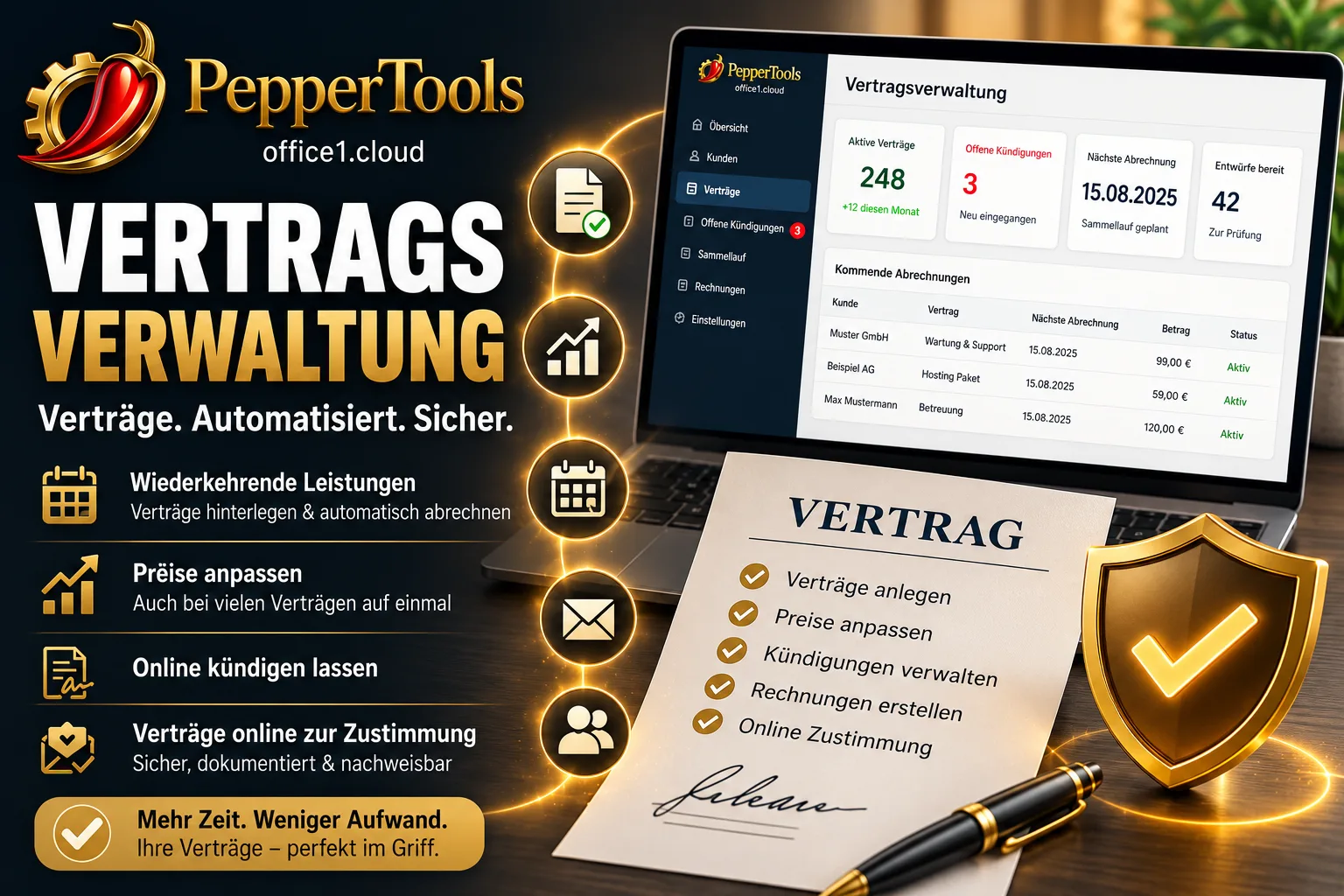
Contract management in Easy Invoice Cloud does two things: it lets your customers sign contracts online — bindingly, with a click, without paper and without a customer account — and it creates recurring invoices from them at the press of a button. It is built for maintenance, hosting, support, retainers and monthly flat fees.
So it is clear from the start what you get and what you do not: the online signature is a documented acceptance by click — the time, name, email address, IP address and a snapshot of what was on screen are recorded. It is not a qualified electronic signature as you would get from a signature service. For maintenance, hosting and support contracts this is the usual route; if a particular form is prescribed for your contracts, clarify that with your legal adviser. Also not included: direct debit collection and pro rata calculation of part months. Both are covered in detail further down.
Contract management is included in the Pro plan, with no volume limit. Try it free for 10 days, no payment details required.
Contents
- Letting customers sign contracts online: how it works
- Attaching terms and other documents digitally
- What an electronic contract records here
- Letting customers cancel online
- Where cancellations land
- Notice periods and the last day to cancel
- Changing running contracts — even years later
- Adjusting prices across 200 contracts at once
- Adjust, skip, postpone or pause a single billing
- Recurring invoices: the batch run
- Why no invoice is ever created twice
- Part months: what the software does not calculate
- Payment: what works and what does not
- What a contract contains
- Getting started: plan, switching over, team
Letting customers sign contracts online: how it works
The function is optional and off by default. Switch on the online view on a contract and the software creates two things: an address nobody can guess and a six-character access code drawn from a character set without confusable characters — 0 and O, 1 and l, 5 and S do not appear.
Both sit on the contract ready to copy. You can send them by email or read them out to the customer on the phone. For several contracts belonging to the same customer, the same code can be issued so they do not have to remember five of them.
The customer always lands on the code entry first, even when clicking straight from the email. That is not a hurdle for its own sake: many mail systems click links in incoming messages automatically to scan them for malware. A signature triggered that way would be worthless. Without the code nothing is visible, and after ten failed attempts access is blocked for 15 minutes.
After that the customer sees their contract in your company's look, with your logo: line items, term, notice period, next billing. They need no customer account and do not have to register anywhere. You set the wording on the button yourself — the default is „Accept contract".
As long as a contract is waiting for a signature, it is not billed. And you are not notified, you see it in the list: contracts still open are marked as such. The link does not expire — there is no deadline after which something happens by itself, and there is no reject button either. Either the customer signs, or the case stays open.
If something material changes later, you request an amendment through „request acceptance again". The customer sees the change through the same link. A normal correction to the contract never asks for a new signature by itself — you trigger that explicitly.
Attaching terms and other documents digitally
A contract usually involves more than the contract itself. Terms and conditions, data processing agreements or licence terms are stored once as a template, and for each contract you pick which ones come along. Templates with the „attach automatically" switch are included with every new contract and can be deselected individually. For each document you decide:
| Setting | Effect for the customer |
|---|---|
| Internal only | Does not appear in the online view at all |
| Visible in the portal | Can be opened and read |
| Acceptance required | Gets its own checkbox — without the tick the contract cannot be signed |
No box is pre-ticked, and every document can be opened before signing too. Whoever is meant to agree has to be able to read first.
The file behind a template is copied, not linked, when attached. If you replace your terms and conditions later, the version that was actually agreed stays with the old contract. A signed document is locked and can be neither changed nor deleted.
What an electronic contract records here
When the customer signs, the software stores:
- the time, to the minute
- the name and email address they entered
- the IP address and browser identifier
- a snapshot of the contract content including a checksum
- which documents in which version were ticked
The snapshot is the important part. Without it, all that would be documented is _that_ someone signed, not _what_ — and because the contract page always shows the current state, after the next price change it would no longer be traceable what was on the screen.
The customer sees their signature permanently as well: date, name and the address the confirmation went to are shown at the top of their contract page.
The classification from the first paragraph again, because it belongs here: this is a documented acceptance by click with a log, not a qualified electronic signature. Anyone who strictly needs such a signature — because a law requires written form, for instance — is better served by a specialised signature service. Which contracts actually require written form, and when a simple signature is enough, is explained in signing contracts digitally.
On top of that, every contract keeps a log: created, changed, signed, billed, paused, cancelled — each with a timestamp.
Letting customers cancel online
Since 1 July 2022, Section 312k of the German Civil Code (BGB) has required businesses that offer consumers paid continuing contracts online to provide a way to cancel on the internet: a button labelled „Verträge hier kündigen", reachable without logging in, a confirmation page with certain input fields, and an immediate confirmation in text form. If this is missing or built incorrectly, the consumer can end the contract under subsection 6 „at any time and without observing a notice period". Whether and to what extent this applies to you is a question for your legal adviser — we provide the function, nothing more.
The software offers two pages for this.
The general cancellation page. Every tenant gets their own address to link from their website. This page deliberately shows no data — it knows neither customers nor contracts. That is why it needs neither a login nor an access code. The customer enters everything themselves:
- type of cancellation, plus the reason for an extraordinary one
- details about their person
- which contract they mean
- the requested end date
- an email address for the confirmation
Nothing appears on that page except your company name, one sentence of explanation and the button. No offers, no retention messages, no „are you sure?". That is not an accident: on 16 July 2026 the German Federal Court of Justice ruled that the confirmation page is reserved for the cancellation process alone.
The wording on the button is deliberately not configurable. It reads „Verträge hier kündigen" and the confirmation says „jetzt kündigen" — word for word as in the statute. Large providers have lost in court over exactly these phrases; being free to reword it would not be freedom here, it would be a trap.
After submitting, two things happen. The customer immediately sees a cancellation declaration with a timestamp that can be printed or saved as a PDF. And they automatically receive an acknowledgement of receipt by email — without you doing anything. That mail goes out through your own SMTP credentials, so in your name, not ours.
The address of the cancellation page can be regenerated at any time if the link ever spread too widely. The old one becomes invalid immediately.
From within the contract. On the customer's contract page they can cancel as well, provided you enable it for that contract. This route is protected by the access code — their contract details are on that page, and those do not belong on an open page.
Where cancellations land
Not in your mailbox. The binding place is the platform: under Contracts there is an „Open cancellations" tab with a counter. The email is only the notification.
For every incoming cancellation you see all the details the customer entered, the time of receipt and the route it came in through (general page or from the contract). If it came from a contract, that contract is already linked. If it came through the general page, you assign it yourself — the customer is deliberately not matched automatically, because they do not have to know a customer number and may well spell their name differently than you stored it.
When assigning, the software calculates from the stored notice period when the contract would properly end and places that date next to the customer's wish. The two can differ. You decide; on request a confirmation goes out to the customer. If no contract fits, you file the request with a note. Nothing is lost, and every case stays visible.
Assignment also ends the billing plan: after the contract end date, the contract no longer appears in the batch run.
Notice periods and the last day to cancel
So the software can do the maths, you store the start date on the contract, optionally an end date, the automatic renewal and the notice period. The notice period is freely composed: number + unit + reference point — „three months before renewal", „four weeks before the end of the contract", „14 days at any time", plus optionally „to the end of the month, quarter or year".
Two displays come out of that:
| What | Where |
|---|---|
| Cancel by — the last day within the notice period | its own column in the contract list |
| Deadline monitor — contracts whose deadline is approaching | start page |
Open-ended contracts with monthly renewal are calculated too. If one starts on 1 August, renews monthly and has one day's notice, the next date is 1 September and the last day to cancel is 31 August. If the customer only cancels in September, the software uses the following date.
Changing running contracts — even years later
This is where most of the complaints about other programs are found in forums: once created, contracts cannot really be touched. In Lexware Office, recurring invoices cannot be edited after they have been created. In one forum post a user describes his way around orgaMAX: limit contracts to eleven months, write a hundred invoices with an extra line by hand in December, then reactivate everything in January.
Here, the contract can be changed at any time. You open it and change line items, quantities, prices, texts, payment terms, billing rhythm. None of it has to be deleted and recreated.
Two rules worth knowing:
- Invoices already created stay untouched. What has gone out has gone out — a change to the contract never works retroactively on a finished document.
- The change applies from the next open billing. Switching the rhythm mid-term is possible too, for example from monthly to quarterly. Periods already billed stay as they are.
Adjusting prices across 200 contracts at once
A price increase at the turn of the year is the classic case, and opening 200 contracts one by one is no solution. Hence the price adjustment across multiple contracts:
- percentage or fixed amount
- up and down — a negative value lowers the price
- per line item, not on the contract total. A contract with three line items receives three adjustments. The interface says so explicitly, because that is the most common misunderstanding.
- Before applying, it shows how many contracts are affected.
The decisive field is „valid from". Leave it on today and the adjustment takes effect immediately. Enter a later date and you store an announced increase right now — it sits in the contract and takes effect on its own on that date. So you do not have to write yourself a calendar note to think about prices in January.
And the question behind it: a billing period that starts before the effective date is still billed at the old price. A quarter starting on 1 December runs through entirely at the old price, even if the increase applies from 1 January. The previous prices remain traceable in the contract history.
Adjust, skip, postpone or pause a single billing
There is a separate action for each of the four most common exceptions — without touching the contract:
Adjust. In the billing list there is a pencil icon on every row: quantity, unit price and item text for this one billing only. That covers „a handling fee is added in December" or „there were two callouts this month instead of one". The adjustment applies only up to creation; after that the draft counts, and you can keep editing it in the document editor anyway.
Skip. The period is dropped with a documented reason, the rhythm continues normally.
Postpone. The same billing falls due later, the service period stays the same.
Pause. Parental leave, winter break, renovation: you store a pause from–to, the billings inside it are dropped, then it carries on. Several pauses per contract are possible and stay permanently visible. The contract does not have to be ended and recreated for this.
Recurring invoices: the batch run
The rhythm is free: number plus unit. Every 5 days, every 14 days, monthly, quarterly, half-yearly, yearly. On top of that you choose whether to bill in advance or in arrears.
In the Billing tab you pick a date, and below it there is a single list: everything due by then, across all contracts. Select all, take individual ones out, click once. A progress bar runs along. 500 contracts in one go are no problem — the software splits the run into blocks in the background so it cannot break off halfway, and an error on one contract does not topple the whole run.
If you forgot a month, there is nothing to catch up on: the list always shows everything open up to the chosen date, including from the past. The invoice created carries today's date, with the service period stated separately.
Only invoice drafts are created. There is no switch that creates or sends invoices automatically. Finalising and sending happens the usual way, by you. That also means no automatically generated wrong invoice can end up with your customer.
Three things happen automatically along the way:
- Tax is determined afresh on every creation. If a tax rate changes or you switch to the small business scheme, that applies to all future invoices without you touching any contract.
- The customer address comes fresh from the master data. If the customer has moved, the new address is on the invoice.
- The service period goes into the text. In header, footer and item texts you place placeholders:
Maintenance for {period}becomesMaintenance for 01.09.2026 – 30.11.2026. Further markers are{contract_number},{contract_title},{period_from},{period_to},{period_month}and{period_year}. Nobody has to type them, they are offered as clickable chips.
Whether the draft eventually becomes an e-invoice is decided, as always, by the setting on the customer — the contract changes nothing about that.
A detail that only shows up after months: if a monthly contract starts on 31 January, many programs stick to the 28th from February onwards forever. Here the contract remembers its anchor day. In February it is shortened to the last day of the month, in March the invoice is back on the 31st.
Why no invoice is ever created twice
Anyone who has been burned by subscription automation once asks this: what happens on a double click, on a page reload, when two staff members press the button at the same time?
The answer: nothing. Per contract and period, technically only exactly one invoice can be created. That is not a check in the program that someone could forget, it is a lock in the database.
Said openly: a period for which a document was created counts as billed — even if you cancel the document later. Documents in the platform are not deleted, they are voided, and a voided document still counts. If you really want to bill the period again, you release it in the contract with one click.
Part months: what the software does not calculate
There is no pro rata calculation. If a contract starts on 15 August, no half August invoice appears by itself. That is a deliberate decision: pro rata arithmetic is the most error-prone part of any billing, and maintenance and hosting contracts rarely need it.
There are two ways around it anyway:
- First billing from is a field of its own, separate from the contract start. Contract from 15/08, first billing from 01/09 — then everything runs cleanly on a monthly rhythm from September.
- Adjust the first draft once. Either through the adjustment in the billing list or directly in the document.
Anyone who has to bill many part periods pro rata should know this beforehand.
Payment: what works and what does not
There is no SEPA direct debit management. No mandate with a reference, no creditor ID, no XML file for the bank, no bank connection that collects money. „SEPA direct debit" can be chosen as a payment method and then appears on the invoice — but nothing is collected with it. In forums, automatic collection is the most frequently named requirement in subscription business. If you have to collect 200 memberships a month like a gym, this is the wrong place.
What does exist is the other direction: you import your bank transactions and assign the payments to the documents. On the document you then see how much of it is paid, and open items feed into dunning. If a customer does not pay, contract management is not what helps — dunning and what to do about late payment is.
What a contract contains
A contract here is not a stripped-down special format, it is as rich as an invoice without a date. You enter it in the same line item editor you know from your documents:
- line items with quantity, unit, unit price, discount and tax rate — from the product master data or typed freely
- text lines without an amount, for explanations and subheadings
- subtotals
- header and footer text, pre-filled from the template in company settings
- payment method, payment terms, language, currency, design profile
- a separate contact person for this contract only
- an internal note that never appears in the portal
Nothing is lost when converting into an invoice, and nothing has to be maintained twice. Nine languages and a separate currency can be set per contract; the invoice created takes both over. The contract list can be exported to Excel.
Getting started: plan, switching over, team
Included in the Pro plan, with no limit on the number of contracts. Every tenant sees the menu entry; without activation, viewing is possible but creating, changing and billing are not.
The first contract takes about five minutes. Choose the customer, enter the line items, set the rhythm and notice period, done.
There is no import for existing contracts. You type the first ones in. After that it is quick: every contract can be copied and used as a template — customer, reference and end date are deliberately left empty, and the start is set to today so nothing gets billed retroactively by accident. Alternatively you start a contract from an existing quote with the same line items.
Several staff members can work with it. Owners, administrators and staff may view, edit and cancel; read-only access and tax advisers may only view. Who did what is in the contract history.
Email runs through your own SMTP credentials, so under your sender address. There are templates for sending the contract, changes, acceptance confirmation, cancellation receipt and cancellation confirmation, each with placeholders for contract number, link and access code. Every manually triggered mail can still be edited before it goes out. Without SMTP set up, the online part stays locked — the software points this out on the contract.
Try it free for 10 days — no payment details, no cancellation needed. The trial ends by itself after 10 days.
Handle invoices more easily
Easy Invoice combines quotes, invoices and customer management in the cloud.
Try Easy InvoiceRead next
 Invoicing & Accounting
Showing a discount on an invoice in Germany: template, VAT, example
A discount is deducted from the net amount, and VAT is calculated afterwards. Here are two templates to copy, the rules for discount codes and vouchers, and what applies if you grant the reduction only after the invoice.
 Invoicing & Accounting
Freelancer invoices in Germany: template, required details, VAT
As a freelancer (Freiberufler) in Germany, you write invoices without registering a trade, but with the same mandatory details as any business. One question decides: do you add VAT or not? Here you find the answer for your case and a template for each of the three cases.
 Invoicing & Accounting
Retention periods 2026: invoices, receipts and what may go in 2027
Since 2025, eight instead of ten years have applied to invoices and other accounting vouchers (Buchungsbelege). The table shows all periods, when they start, when they run longer and which folders you may clear out at the start of 2027.