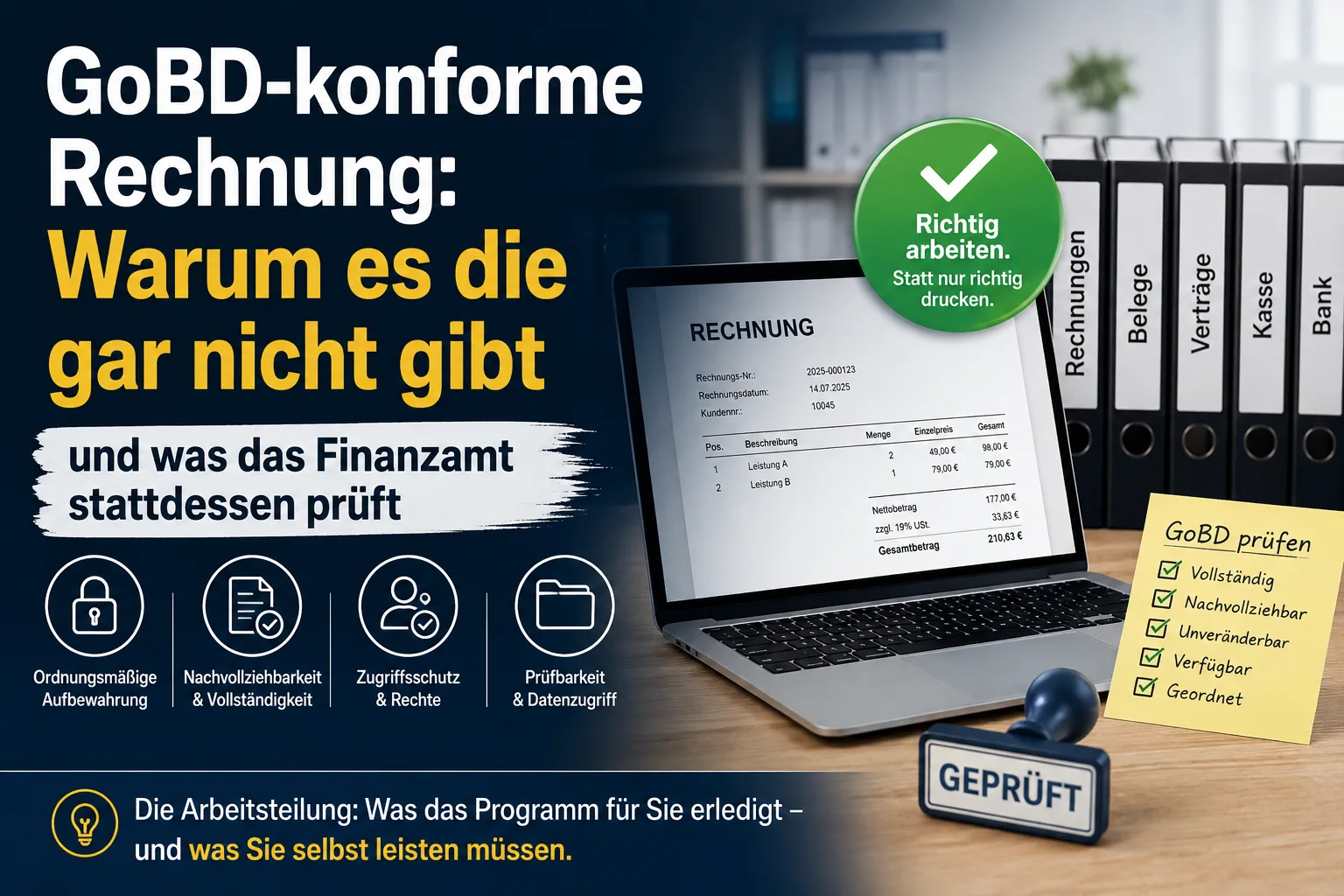
A single invoice cannot be „GoBD-compliant". The GoBD say nothing at all about what an invoice must contain – that is set out in the German VAT Act. The GoBD govern something else: how you work. When you record a transaction, how you safeguard documents until then, who is allowed into your system, and what happens when an invoice turns out to be wrong. What is compliant is therefore always your workflow, never the individual sheet of paper. Good software takes roughly half of it off your hands – the other half stays with you, and no purchase changes that. And there is no seal for it: the tax authority explicitly issues no certificates for accounting software, and certificates from audit firms are not binding on it.
This article provides general information and does not replace tax advice.
Contents
- GoBD and § 14 UStG – who governs what?
- The GoBD seal that does not exist
- The division of labour: your software and you
- What your software handles for you
- New since July 2025: you no longer need to keep the PDF
- What nobody can take off your hands
- How long you must keep what
- Process documentation – two pages are enough
- Are my Word invoices in a folder a problem?
- What happens if an auditor objects?
- Does this also apply to small businesses?
- Switching over: what about the old invoices?
- Six questions to ask a software provider
GoBD and § 14 UStG – who governs what?
GoBD is the abbreviation for a very long official title: „Principles for the proper management and retention of books, records and documents in electronic form and for data access". It is not a law but a circular issued by the German Federal Ministry of Finance – in other words, the tax authority's statement of how it interprets the law and what it expects during an audit. The current version dates from 28 November 2019 and has been amended twice: in March 2024 and most recently on 14 July 2025.
Two entirely different sets of rules apply to your invoices at the same time, and that is exactly where the confusion comes from:
| Question | Who governs it? | Example |
|---|---|---|
| What has to appear on the invoice? | § 14 UStG (German VAT Act) | address, tax number, sequential invoice number, date of supply, tax rate |
| How do I work with it? | GoBD | when you record it, how documents are safeguarded, who has access, how long everything stays |
So if somebody sells you a „GoBD-compliant invoice template", what they are really selling you is a template containing the mandatory details required by § 14 UStG. You will find those set out in our guide to writing an invoice. Whether your procedure meets the GoBD, by contrast, is decided afterwards – in everything you do with the invoice once it has been written.
The GoBD seal that does not exist
This is where many providers' advertising becomes dishonest. In marginal numbers 179 to 181 – the numbered paragraphs of the circular – the GoBD say three things very clearly:
- Marginal no. 179: the sheer number of IT systems and the different ways they are designed and combined allow „no generally valid statements by the tax authority as to compliance". So the tax office cannot give blanket approval to any software.
- Marginal no. 180: confirmations that a set of books is in order are „issued neither in the course of a tax audit nor by way of a binding ruling". You cannot have it certified in advance either.
- Marginal no. 181: „certificates" or „attestations" issued by third parties have „no binding effect" vis-à-vis the tax authority. So even if an audit firm has certified a program, the tax inspector does not have to accept it.
There is a simple reason for this, and it matters more than the seal itself: the GoBD are addressed to you, not to your software vendor. A program is a tool. No vendor can guarantee that you use it properly – which is why it cannot be certified.
The division of labour: your software and you
This is the misunderstanding most online guides fail to clear up: they treat the GoBD as a software question. In reality the requirements fall into two halves.
| Requirement | Good software handles it | You have to handle it |
|---|---|---|
| Invoices cannot be altered afterwards | ✔ automatically | – |
| Unbroken invoice numbering | ✔ automatically | – |
| Invoice reproducible unchanged at any time | ✔ automatically | – |
| Recording transactions on time | partly | ✔ your discipline |
| Safeguarding documents until recorded | – | ✔ your filing |
| Scanning paper and discarding it | – | ✔ written instruction |
| Who may access the system? | provides rights management | ✔ you grant the accounts |
| Data backup | partly (with cloud) | ✔ check that it runs |
| Correcting a wrong invoice properly | ✔ enforces the cancellation route | ✔ your habit |
| Process documentation | supplies the technical part | ✔ write your part |
The right-hand column is the part you do not acquire when you buy software. It is also the part an auditor notices first – because it is immediately obvious whether documents sat untouched for months, or whether three people share one login.
What your software handles for you
Nothing can be changed afterwards
This is the core requirement. Once an invoice has been issued it must be stored so that nobody can quietly alter it later – and if something is changed, it must be possible to see afterwards what it said before and who changed it. In official language this is called „immutability".
The reason is simple: if you could retroactively reduce an invoice of 3,000 euros to 300 euros without anyone noticing, the entire set of books would be worthless. That is exactly why auditors look here first.
An invoicing program solves this by „locking" the invoice on output: from the moment you download the PDF or send the invoice by email, the document can no longer be edited or deleted.
No invoice may go missing
Your invoice numbers must be sequential and unique (§ 14 (4) no. 4 UStG), and no invoice may disappear from the records. A gap in the sequence is the classic question in any audit: „Where is 2026-0147?"
A common misconception: a gap does not arise because you discard a draft. Good programs only assign the number once the invoice is actually issued – deleting a half-finished draft tears no hole in the sequence. If a gap does arise because an invoice was cancelled, that is not a problem as long as the cancellation document remains visible and the matter is therefore explainable. How to structure number ranges and what applies if a number was issued twice is covered in the article on invoice numbers.
New since July 2025: you no longer need to keep the PDF
This change passed almost every online guide by, yet it saves real work. The circular of 14 July 2025 redrafted marginal number 76 of the GoBD.
The essence: you do not have to store a PDF of an outgoing invoice permanently if you can produce an „identical duplicate in terms of content" at any time. „Duplicate" is officialese for: the same invoice again, word for word and figure for figure. That is precisely the case when you use an invoicing program that reissues the invoice unchanged at the touch of a button.
In practice this means: anyone working with a program does not have to copy every invoice PDF into a folder as well. Anyone writing invoices in Word cannot rely on this – Word does not produce an identical duplicate from a verified set of data, it opens a file that may have changed in the meantime.
For electronic invoices it was clarified in parallel what the actual document is: what must be retained is the machine-readable file contained in an XRechnung or a ZUGFeRD invoice – with ZUGFeRD it sits invisibly inside the PDF. You only need to keep the human-readable view as well if it contains details that are missing from the file or differ from it. We explain the difference between the two formats in our articles on XRechnung and the ZUGFeRD invoice.
What nobody can take off your hands
Now for the part missing from most guides. These six points concern your working day, not your software.
1. When you have to record a transaction
You may not leave documents lying around indefinitely. The GoBD state concrete periods:
- Cash daily. Cash receipts and payments must be recorded daily (§ 146 (1) sentence 2 AO). If you take cash, there is no way round this.
- Everything non-cash within ten days. Recording non-cash transactions within ten days is regarded as unobjectionable (marginal no. 47).
- Posting monthly is permitted – but only on one condition (marginal no. 50): the transactions must have been recorded promptly beforehand, and you must ensure by organisational means that nothing is lost before final recording.
This is where common practice breaks down: collecting documents in a box until the appointment with the tax adviser does not satisfy marginal no. 50. Not because collecting is forbidden – but because nothing was recorded and nothing safeguarded in the meantime.
2. Safeguarding documents before they are recorded
Between „invoice arrives" and „invoice is posted" there is a gap you have to close yourself. The requirement is that the documents cannot go missing during that time.
In a small business very little is needed, it merely has to be defined and always the same: a fixed inbox folder, a running number or a date stamp on every paper document, a dedicated folder for incoming invoice emails. What matters is not the method but that there is one and that everyone follows it. How to set this up cleanly on the incoming side is described in managing incoming invoices.
3. Scanning paper and discarding it – only with a written instruction
Anyone who scans paper documents and then destroys the original must set the procedure down in writing beforehand (marginal no. 136). This organisational instruction answers four questions:
- Who is allowed to scan?
- When is scanning done – on arrival, weekly, monthly?
- What is scanned and what is not?
- How is it checked that the scan is complete and legible – and what happens if it is not?
It sounds bureaucratic but takes ten minutes to write. And it is the difference between „digitised" and „document destroyed without anyone knowing the rules". Incidentally, photographing with a phone falls under the same rule – expressly permitted, but equally subject to documentation.
4. Who may access the system?
The GoBD require an internal control system and expressly name access and authorisation controls, separation of duties and safeguards against falsification of data (marginal no. 100). These controls must be established, exercised and documented.
Translated into everyday operations that means:
- Every employee gets their own account. A shared password passed around the office makes any logging worthless – nobody can say afterwards who did what.
- Rights according to role: someone who only writes quotations needs no access to payments and bookkeeping.
- When someone leaves, their access is revoked. Immediately, not eventually.
- Once a year, review who still has access. That is the „control" that is supposed to be documented – a dated note is enough.
The software provides the rights management. Whether you use it or let everyone work from a shared account is your decision.
5. Data backup
Your data must be secured against loss. If the backup is missing, that is a defect in its own right – regardless of how good your program is.
With cloud software the provider handles the technical backup; with software on your own machine you do. In both cases one task remains yours: check occasionally that the backup actually runs and can also be restored. A backup that has never been restored is not a tested backup.
6. Do not reissue – cancel
This is the most common everyday breach, and it has nothing to do with software and everything to do with habit. The customer calls, the price is wrong, so the invoice is „simply done again" and the old one thrown away.
That leaves two different versions of the same invoice number in existence: one with the customer, one with you. This is precisely what § 146 (4) AO prohibits – a record may not be altered in such a way that its original content can no longer be determined.
The clean route is always the same: create a cancellation document referring to the original invoice, then write the corrected invoice with a new number. Both documents remain in existence and visible. Good software enforces this route. With Word you have to remember it yourself – and in day-to-day business that is exactly what often fails to happen. When a correction invoice suffices instead of a cancellation is explained in correcting an invoice. If it is not an error but a later refund, the route is a different one – see creating a credit note.
How long you must keep what
Many guides still show the old figure here. Invoices used to be subject to ten years – since 1 January 2025 it has been eight. And depending on the type of document, three different periods apply:
| Document | Period | Basis |
|---|---|---|
| Invoices (outgoing and incoming) | 8 years | § 14b (1) UStG |
| Accounting vouchers | 8 years | § 147 (3) AO |
| Books, records, annual accounts, inventories | 10 years | § 147 (3) AO |
| Quotations, order confirmations, other business letters | 6 years | § 147 (3) AO |
The period always starts only at the end of the calendar year in which the invoice was issued or the letter received. So an invoice from March 2026 may be discarded from the beginning of 2035.
One important caveat: the period does not expire as long as the documents are relevant to taxes for which the assessment period has not yet run out. If an audit is under way or a case is open, everything stays – including material that could arithmetically have gone long ago.
And what about emails? There is a practical rule for this (marginal no. 121): an email that merely transports an invoice and contains nothing else is like an envelope – it need not be retained. What must be retained is the attachment. If, on the other hand, the email itself contains something business-relevant – a price commitment, an agreed date, a response to a complaint – it is a business letter and must be kept. When in doubt, keep the email; it costs nothing.
Process documentation – two pages are enough
This is the bracket around both halves, and the point almost everyone skips. What is meant is a written description of your procedure: what do you write your invoices with? Where do incoming documents go? Who has access? How often is a backup made? When is scanning done and who throws the paper away?
It consists of two parts. The technical part – how the program works internally – is supplied by your software provider; reputable providers keep a system description available that you can present to an auditor. The second part you write yourself, and it may be short. For a small trade business with one employee, two pages are enough provided they cover the six points above. Dated and signed, and when you change something, keep the old version – because an auditor wants to know which rules applied then, not which apply today.
No auditor expects a manual. But if all you can offer in response to „how does this work in your business?" is a shrug, that is the poorer start to a conversation.
Are my Word invoices in a folder a problem?
Honest answer: it is not prohibited. But it is precisely the workflow that cannot meet the first requirement on its own.
A Word or Excel file can be opened, altered and saved again at any time without anyone being able to tell afterwards that something was changed. The exported PDF in a Windows folder helps only to a limited extent: it can be deleted, replaced or overwritten, and the folder itself logs none of it. From the tax authority's point of view, ordinary file storage is therefore not an adequate safeguard against subsequent changes.
You can compensate for this with additional measures – for instance an archive system that stores files write-protected and with a log, plus process documentation describing exactly how that works. This is permitted, but it is work, and you have to be able to prove it. The detailed assessment is set out in writing invoices with Word or Excel – is that allowed?.
What happens if an auditor objects?
A sober look helps here, because this subject is often sold with a lot of fear attached.
Not every formal error causes your bookkeeping to be rejected. Under case law, what counts is not the formal significance of a defect but its substantive weight: formal defects entitle the tax office to make an estimate only where they give cause to doubt the substantive accuracy of the figures. Missing process documentation, while turnover, documents and payments all match up without gaps, is something quite different from bookkeeping with numbering gaps, retroactively altered amounts and documents nobody touched for three months.
An estimate means: the tax office determines turnover and profit itself where it cannot establish them properly from your records (§ 162 AO). And the more serious the defects, the cruder it is allowed to be. That is the real financial damage – not a fine for a missing certificate that does not exist anyway.
Conversely, this means: the goal is not perfection but explainability. Anyone who works in a traceable way and can substantiate their figures comes out of an audit in reasonable shape even if the filing is not immaculate.
Does this also apply to small businesses?
Yes. The GoBD do not depend on the size of the business, nor on whether you prepare a balance sheet. They apply to all records relevant for tax – including where you determine your profit by simple cash-basis accounting, and including where you charge no VAT as a small business.
The scale is of course different. Someone writing 120 invoices a year needs no document management system and no lengthy instruction. But the points above stay the same, only smaller: cash daily, documents in a fixed place, an individual account per person, cancellation instead of reissue, two pages of process documentation. What else applies to small-business invoices is explained in writing an invoice without VAT.
Switching over: what about the old invoices?
If you move from Word to a program, the next question arises immediately: what about the invoices of recent years?
The most important rule first – do not type old invoices into the new program to make them look „proper". Doing so creates documents bearing an issue date in the past that never existed in that form. That is considerably worse than imperfect filing, because it looks like retroactively constructed bookkeeping.
The past cannot be made immutable retroactively. What you can do instead is manageable:
- Leave the existing material as it is and back it up in full – ideally write-protected and with a copy in a second location.
- Set a cut-off date from which all new invoices come out of the program.
- Record precisely this changeover in your process documentation: Word until when, program from when, where the old files are. A dated paragraph is enough.
That does not repair the past, but it explains it – and explainability is exactly what counts.
Six questions to ask a software provider
Because the seal is worthless, the only sensible test is to ask. These six questions separate robust programs from prettily designed invoice generators.
- Can I still edit or delete an invoice that has already been issued? The right answer is a clear no.
- When is the invoice number fixed – on creation or on output? On output. Otherwise every discarded draft produces a gap.
- How do I correct a wrong invoice? Via a cancellation document that stays linked to the original. Not by overwriting.
- Can I give every employee their own account with their own rights – and can I see who changed what and when? Without this you cannot meet the access-control point at all.
- How do I get at my data if an auditor demands it in machine-readable form? What is needed is a genuine export, usually in DATEV format, plus the documents themselves.
- Is there a system description I can attach to my process documentation? If not, you have to write the technical part yourself – and you cannot, because you do not know how the software works internally.
At office1.cloud we built along exactly these lines: invoices are locked on first output and can afterwards be neither altered nor deleted, the number is assigned only on output, corrections run exclusively via linked cancellation documents, every employee gets their own account with graduated rights, changes are recorded in a log you can inspect yourself and export as a file, and for the audit case there is an export in DATEV format. For the technical part of your process documentation we provide a detailed system and process description that you can present to your tax adviser or an auditor.
What we deliberately do not claim: that this automatically makes you GoBD-compliant. Half the requirements rest with you – when you record, how you safeguard documents, who has access. No program in the world can take that off your hands, and anyone promising otherwise has not read the GoBD.
If an audit is coming up or your filing of recent years has gaps, talk to your tax adviser before you start tidying up.
Handle invoices more easily
Easy Invoice combines quotes, invoices and customer management in the cloud.
Try Easy InvoiceRead next
 Invoicing & Accounting
Booking private withdrawals in Germany: accounts, tax, contributions
A private withdrawal is not a salary and does not lower your profit. Which accounts apply, when VAT is due on goods and the car, and what goes into the Anlage EÜR.
 Invoicing & Accounting
Cost estimate in Germany (Kostenvoranschlag): template and what goes in
A German cost estimate (Kostenvoranschlag) is an estimate, not a fixed price. With a sample to copy: what goes in, which sentences protect you from disputes and when it may cost money.
 Invoicing & Accounting
Receipt lost? How to write an Eigenbeleg in Germany
No booking without a receipt – but there is a substitute. What belongs on a German Eigenbeleg, when the tax office accepts it, and why the VAT is gone anyway.