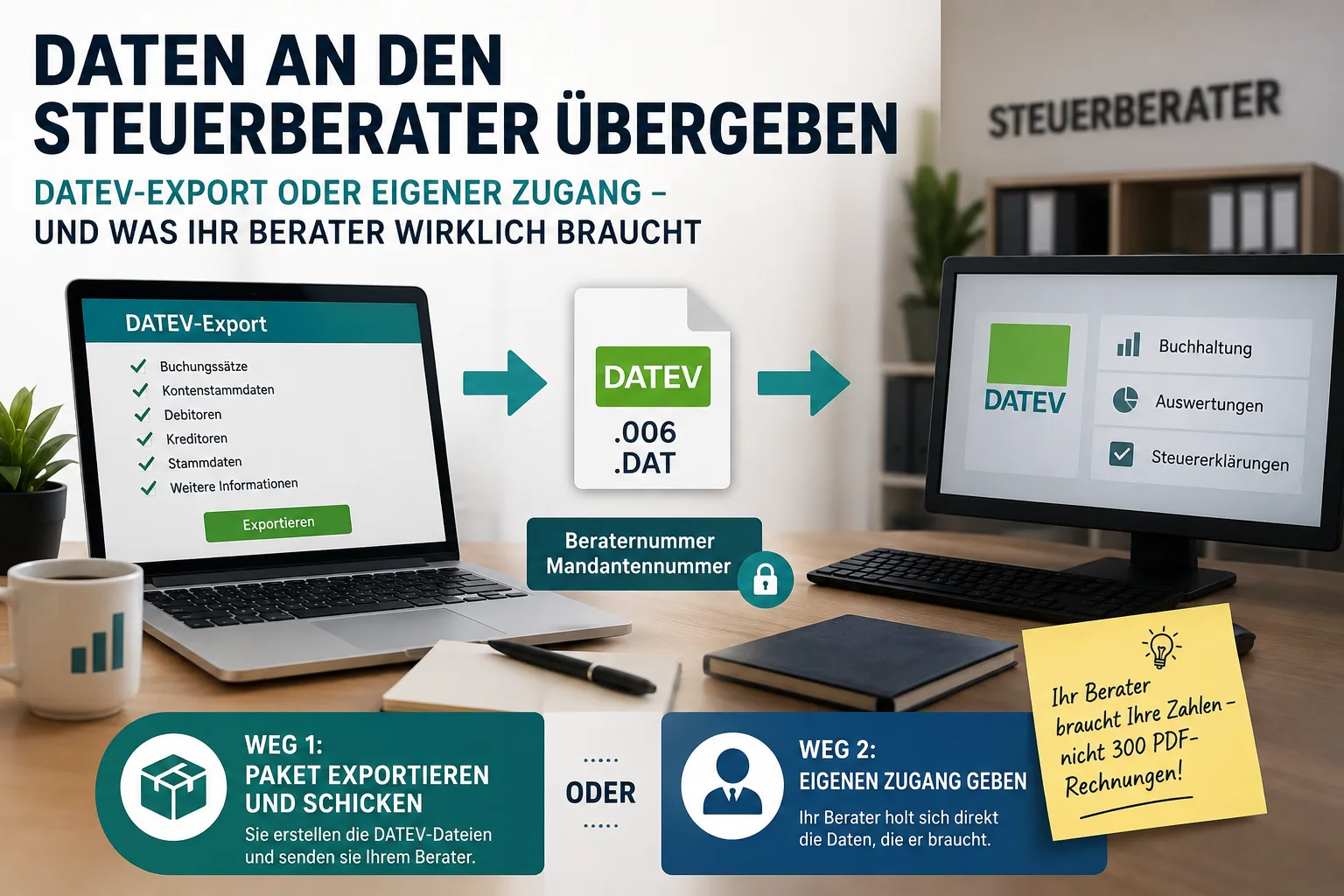
"Preparatory bookkeeping" simply means sorting everything far enough in advance that your tax advisor only has to check and post entries instead of chasing you for details. Two things belong to it, and they are often confused. First, the figures – every invoice and every expense as a posting line. Your invoicing software delivers those at the push of a button, usually as a DATEV file. Second, everything that is not in your software: bank statements, cash receipts, loan and leasing contracts, larger purchases, stock on hand. You have to gather that yourself, and this is where most handovers fail – not on the technology.
Before you collect anything, settle one question with your accounting firm: does your advisor post your books throughout the year, or do they only prepare the annual accounts? That determines whether you have to supply everything or just the reports.
This article provides general information and does not replace tax advice.
Contents
- First things first: who does what?
- Does it have to be now? The deadlines for 2025
- The checklist: what belongs on the pile
- What your software delivers – and what you have to find yourself
- Option 1: export the DATEV file
- The two numbers you cannot do without
- Option 2: give your advisor their own access
- Which option suits you?
- The first time, the opening balances are missing
- How to send the data
- When your advisor says: "I can't import this"
- Small businesses: what does not apply to you
- Why once a year is the most expensive route
First things first: who does what?
There are two common arrangements, and they lead to completely different piles:
Your advisor posts throughout the year. They handle your advance VAT returns and know your figures every month. In that case most of it is already with them. You only supply what never reached them during the year – cash receipts, new contracts, private-use shares.
You do the bookkeeping, your advisor only prepares the annual accounts. They check everything, determine the profit and fill in the forms. Then they need your finished reports – the postings and the trial balance – plus the documents they cannot read from your entries.
One phone call to the firm saves a week of back and forth. Simply ask: "What do you post for me, and what should I send you?"
Receipts, bank transactions and the export for your accountant are bundled in the Easy Invoice accounting software in one place.
Does it have to be now? The deadlines for 2025
For the 2025 tax year the normal deadlines apply again. Anyone filing themselves had to be finished by 31 July 2026. Anyone with a tax advisor or an income tax assistance association automatically has until 1 March 2027 – no application needed. The actual cut-off would be 28 February, but that falls on a Sunday.
That deadline, however, belongs to your advisor, not to you. They have to complete every client's accounts in the same few weeks. Whoever hands things over in February lands on the same pile as everyone else who hands over in February. Whoever delivers in late summer or autumn is usually finished much faster and gets follow-up questions at a time when somebody can still answer them calmly.
All the key dates are in Filing deadlines 2026. If you missed 31 July yourself: what really happens next is in Tax return deadline missed.
The checklist: what belongs on the pile
Work through this once from top to bottom. Cross out whatever does not apply to you.
Bank statements – complete. All business accounts, the whole year, with no missing numbers. This is the single most common reason for follow-up questions. Your advisor uses them to check whether every payment matches an invoice. A missing statement means a missing piece of the trail.
Cash. Every cash payment with a receipt, plus your records of cash takings if you have any. Cash expenses without a receipt cannot be claimed by anyone.
Outgoing invoices. Everything you issued – including cancelled and corrected ones. Gaps in the invoice numbering stand out immediately in an audit.
Incoming invoices. All receipts for your business expenses. How to file them during the year so nothing is missing in December is explained in Managing incoming invoices.
Larger purchases. Here there are value thresholds that decide whether you deduct something immediately or spread it over several years:
| Purchase value (net) | What happens to it |
|---|---|
| up to €250 | immediately a business expense, no special record required |
| €250 to €800 | fully deductible immediately, but with a special record (§ 6 (2) German Income Tax Act) |
| €250 to €1,000 | alternatively a pooled item, spread over five years (§ 6 (2a)) |
| over €800 | not immediately deductible, but spread across the years you use it – the invoice definitely goes to your advisor |
These thresholds have been unchanged since 2018 and still apply in 2026. The net amount is generally the relevant figure; if you are not entitled to deduct input VAT, ask your advisor which value counts in your case. The choice between immediate deduction and a pooled item is also not made item by item, but uniformly for all purchases in that range within a year – leave that decision to your advisor, they see the whole picture.
Contracts. Loans and interest statements, leasing, rent for business premises, insurance policies. Above all new agreements and changes from the past year – your advisor does not want contracts they already hold twice.
Stock on hand. If you trade goods or store materials: whatever was still there on 31 December, with its value. Without that figure the profit cannot be correct.
Payroll. Payslips, notifications to the health insurance funds, contribution statements – unless a payroll office handles that anyway.
Anything you also use privately. A company car with a logbook or the one-percent rule, phone and internet, a home office. Your advisor has to separate out the private share and can only do that if they know about it.
Post from the tax office. Assessments from the previous year, prepayments that have been set, notices about deadlines.
What your software delivers – and what you have to find yourself
This is the split that shows the effort honestly:
| Your invoicing software handles | You have to gather yourself |
|---|---|
| All outgoing invoices as posting lines | Bank statements from your bank |
| Recorded incoming invoices and expenses | Cash receipts you never entered |
| Customer and supplier list | Loan, leasing and rental contracts |
| Chart of accounts with labels | Stock on hand at year end |
| Trial balance | Payroll documents |
| VAT figures per period | Private-use shares, mileage logbook |
The left column is one click. The right column is the actual work – and it does not shrink no matter which software you buy.
Option 1: export the DATEV file
Why a file at all and not simply the invoices? Because a PDF invoice is an image with text on it as far as a computer is concerned. A human sees "net €1,000, 19 percent, painting work"; the accounting software does not. Somebody has to retype or verify it. With 300 invoices at two minutes per document that is ten working hours – incurred at the firm and landing on your bill.
A posting file, by contrast, is imported in seconds. You select a period and download a ZIP archive containing six files:
| File | What it contains | What your advisor needs it for |
|---|---|---|
| Posting batch | Every transaction as one line: date, amount, tax, account, contra account, document number | The core – your bookkeeping is built from it |
| Debtors | Your customers with number, name, address | So postings have a name instead of just a number |
| Creditors | Your suppliers, likewise | The same for the expenses side |
| Account labels | What your accounts are called | So more than the bare number "4400" arrives – namely that this is your income from painting work |
| Trial balance | All accounts with opening value, movement, closing value | Their cross-check: does the total match what was imported? |
| Advance VAT return | Turnover and tax amounts sorted by field | To reconcile with what you reported to the tax office |
The first four are in DATEV format. If your advisor asks what exactly it is, the answer is: EXTF posting batch – the standard format DATEV programs import. Nothing to rename, nothing to convert.
In office1.cloud you will find this from the Standard plan upwards under the accounting reports, as the "tax advisor package". Individual files can be pulled separately too – some firms only want the posting batch because customer and supplier lists are already maintained on their side.
Important: receipt PDFs are not included in the ZIP. It contains the figures, not the images behind them. If your advisor wants to see receipts – and for business expenses they often do – download the relevant ones for them or give them their own access instead.
The two numbers you cannot do without
This is where the first attempt nearly always fails, even though it is quickly settled: every DATEV file contains a consultant number and a client number. The consultant number belongs to your tax advisor, the client number is you in their records. Only they or their office staff know both.
Ask once by email – four details, two sentences:
Hello, to export my bookkeeping I need your consultant number and my client number. Also: do you work with SKR 03 or SKR 04, and when does my financial year begin?
The last two questions save you a second attempt. SKR 03 and SKR 04 are two widely used German charts of accounts – numbering systems for which account stands for what. Both are common, they are simply sorted differently. Whichever your advisor uses, you set it once and never again. For most people the financial year starts on 1 January; if something else applies to you, you already know it.
Option 2: give your advisor their own access
The second route saves the sending entirely: you add your tax advisor as a separate user. They receive an email invitation, set their own password and then work with their own credentials.
That is the crucial point: never hand over your own password. Otherwise nobody can tell afterwards who did what – and you carry every change made under your name.
office1.cloud has a dedicated role for tax advisors that is narrower than a normal employee account. They may:
- view invoices, receipts, customers, suppliers, products and contracts
- generate all reports and exports themselves, including the DATEV package
- edit expenses and postings, so they can allocate receipts without asking you
They may not: write or send invoices, change customer data, invite further users, change settings or delete anything.
The practical gain: follow-up questions disappear. "Something is missing for document 214" no longer turns into an email to you – your advisor sees the document themselves.
Which option suits you?
- You hand everything over once a year and want nothing to do with it → export. One ZIP, one message, done.
- Your advisor posts continuously and files your VAT → access. Saves both sides the most time.
- The firm explicitly wants a file → export. Some have good reasons not to let outside systems into their workflow.
Both at once works too: access for day-to-day questions, an export for the annual accounts.
The first time, the opening balances are missing
One point that is guaranteed to trigger a follow-up question on your first handover: an export contains the movements of a period – what happened during the year. It does not contain what you carried into that year: customer invoices still open from the previous year, unpaid supplier invoices, account balances, depreciation already running.
Your advisor usually holds those opening figures themselves if they prepared the previous year. If you are switching firms or software right now, they have to request them from the previous provider. Raise this actively before you export – otherwise the totals will not add up and at first nobody knows why.
How to send the data
That ZIP contains your complete turnover and your customer list. It is not something that should travel across the internet unprotected. Most firms have a portal or a secure upload for this – ask before you attach it to an email. If it does have to go by email, protect the archive with a password and pass the password on by another route, for example by phone.
With your advisor's own access the question does not arise at all: the data never leaves your system.
When your advisor says: "I can't import this"
It happens, and it is almost never the figures. Four usual causes:
Wrong or missing numbers. Consultant and client number have to match exactly, otherwise the firm's software cannot assign the file to a client. One transposed digit is enough.
The other chart of accounts. You exported with SKR 03, the firm works with SKR 04. The postings arrive but sit on the wrong accounts. Switch once, export again.
Duplicate period. If you export the same period twice and the firm imports both, the turnover appears twice in the books. Keep a note of what you have already sent.
Account length does not match. How many digits your accounts have – usually four – has to match the firm's settings. That is a setting, not a data error.
Useful in such discussions: every export is logged on your side – period, file name, size, timestamp, who created it, plus a checksum of the file. That answers "have I already sent you that quarter?" in ten seconds. Why such logs matter at all in an audit is explained in GoBD-compliant invoice.
Small businesses: what does not apply to you
If you use the small business rule under § 19 of the German VAT Act, the handover is considerably shorter. You do not charge VAT, do not pay any over and generally file no advance returns – the VAT file in the package then stays empty or is omitted. Since the 2024 tax year small businesses generally no longer have to file an annual VAT return either – unless the tax office explicitly asks for one.
What remains: income and expenses, the receipts for them, and everything from the checklist above. Your income tax return is unaffected. What an invoice without VAT has to look like is explained in Writing an invoice without VAT.
Why once a year is the most expensive route
Most small businesses hand everything over in one go after the year ends. That is the most awkward moment: you no longer remember what the cash receipt from March was for, your advisor asks about transactions ten months old, and a VAT error has been growing for a year instead of a month.
Anyone who delivers quarterly instead, or gives their advisor access, spreads the work out and spots mistakes early. The effort is the same single click – just four times instead of once.
If you work entirely without an advisor, the export is not your topic. Then it is about the income surplus calculation and the right forms in ELSTER – that is covered in Doing your tax return as a self-employed person. Filling in the Anlage EÜR yourself line by line is explained in Doing the EÜR yourself.
For everyone else the next step is that short email to the firm: who posts what, and what are the two numbers? With those answers and the checklist above, the handover is done in a morning.
And if the bank asks for current figures in between, you do not have to wait for the annual accounts: creating a BWA yourself shows how to build the analysis yourself from the same documents.
Handle invoices more easily
Easy Invoice combines quotes, invoices and customer management in the cloud.
Try Easy InvoiceRead next
 Invoicing & Accounting
Booking private withdrawals in Germany: accounts, tax, contributions
A private withdrawal is not a salary and does not lower your profit. Which accounts apply, when VAT is due on goods and the car, and what goes into the Anlage EÜR.
 Invoicing & Accounting
Cost estimate in Germany (Kostenvoranschlag): template and what goes in
A German cost estimate (Kostenvoranschlag) is an estimate, not a fixed price. With a sample to copy: what goes in, which sentences protect you from disputes and when it may cost money.
 Invoicing & Accounting
Receipt lost? How to write an Eigenbeleg in Germany
No booking without a receipt – but there is a substitute. What belongs on a German Eigenbeleg, when the tax office accepts it, and why the VAT is gone anyway.